A frequently asked questions roundup gathers the queries that reach players again and again, so the answers live in one place instead of being rediscovered in scattered threads. The questions below are the ones Sadx Freestyle users raise most often about updates, settings, overlays, and moving between phones.
Each answer is short by design and points onward when a topic deserves a full guide. If you arrived here from the Sadx Freestyle questions and download pages with one specific problem in mind, scan the headings for your question first, then follow the deeper guide linked in that answer for the complete walkthrough.
Why Did My Settings Change After an Update?
Most updates preserve your values, but a build that reorganises a settings area can occasionally return one field to its default. This is why checking your main numbers straight after updating is a standard habit rather than a sign of distrust. One differing value is a two minute fix when you catch it immediately.
The protection against real loss is a backup made before the update. Screenshot your screens, note your DPI, and the restore takes minutes even in the worst case. Players who want the full routine will find both halves covered by the update guide and the backup guide linked throughout this site's setup articles.
Why Does the Overlay Not Appear in the Game?
Nine times out of ten the cause is a permission or battery setting rather than the app itself. Confirm that draw over other apps is switched on for Sadx Freestyle, then set its battery usage to unrestricted so the system does not close the panel in the background, and reopen the app before launching the game.
The fuller explanation of each permission and what it powers lives in the permissions and safety settings guide. Work through it once carefully and overlay problems usually stay solved, because the underlying approvals remain in place across normal sessions instead of needing attention every time you play.
Should I Copy a Professional Player's Sensitivity?
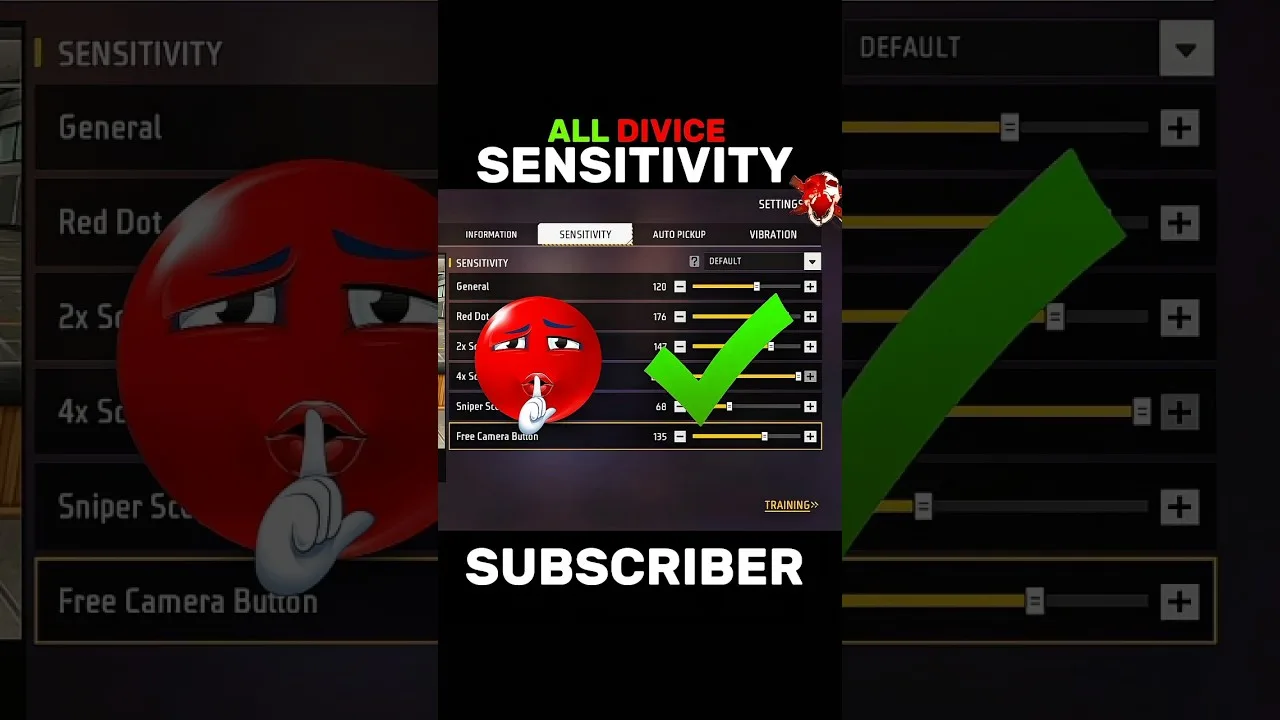
Copying gives you numbers tuned for someone else's phone, DPI, screen size, and hands, so the result on your device is close to random. A shared profile can still be useful as a rough neighbourhood to start testing from, but your final values should come from your own training drills and your own comfort.
Expect your settled profile to differ from any published one, and treat that difference as success rather than failure. Personal equipment fits its owner. The testing routine described in this site's training mode guide shows how to turn any borrowed starting point into a genuinely personal setup within a few focused sessions.
What DPI Should a Beginner Start With?
Start at your phone's current default and play until your aim habits stabilise, then experiment with one modest increase if drags feel like they run out of screen. Beginners change too many things at once when they adjust DPI in week one, and the resulting confusion gets blamed on whichever setting they touched last.
When you do experiment, note the original value, change by a small step, and give the new feel several sessions before judging. DPI reshapes muscle memory, and first impressions of a new value are notoriously unreliable. Small steps, written records, and patience produce a pairing of DPI and sensitivity that stays comfortable for months.
Can I Use the Same Setup on a New Phone?
You can use the same profile as the starting point, and you should, because it carries your preferences with you. Load your backed up values, then run short checks for general sensitivity and drag feel, because screen size and touch response differ between models and usually ask for small corrections rather than a rebuild.
New phone questions are covered from the installation side in the Sadx Freestyle installation guide, which walks through the first setup on a fresh device. Combine that with your backup screenshots and the move becomes an organised half hour instead of an anxious evening of guessing at numbers you used to know.
Does Sadx Freestyle Suit Tablets and Larger Screens?
Yes, the same setup ideas apply, with the expectation that your values will differ from a phone profile. Larger screens give swipes more room, grips change, and button layouts need rebuilding for the wider reach. Treat the tablet as its own device with its own backed up profile rather than forcing your phone numbers onto it.
Players who split time between a phone and a tablet should keep clearly named records for both, as the phone sizes guide on this site explains in depth. Ten minutes of training after each switch lets your hands change context, and with that small ritual the two setups stop interfering with each other and start feeling like two well fitted tools.
A final general answer covers the questions not listed here: when in doubt, change one thing, test it in training, and write down what happened. That single loop resolves most setup uncertainty regardless of which setting, permission, or device prompted the question, and it is the habit every detailed guide on this site eventually returns to. Players who internalise it stop depending on roundups like this one for every small decision, because they own a method for producing reliable answers of their own, which is the real goal behind every answer collected above.
Final Thoughts
Most Sadx Freestyle questions have calm, mechanical answers once the right area is checked: permissions for overlays, backups for updates, personal testing for sensitivity, and patience for DPI. Keep this roundup nearby, follow the deeper guides when a topic needs them, and remember that nearly every setup problem has already been solved by someone who wrote the answer down.
Your download is ready
Use the APK link below and follow the install steps on this page.